
Markdown editor for Windows and Linux
The clean markdown editor.
Read for free.
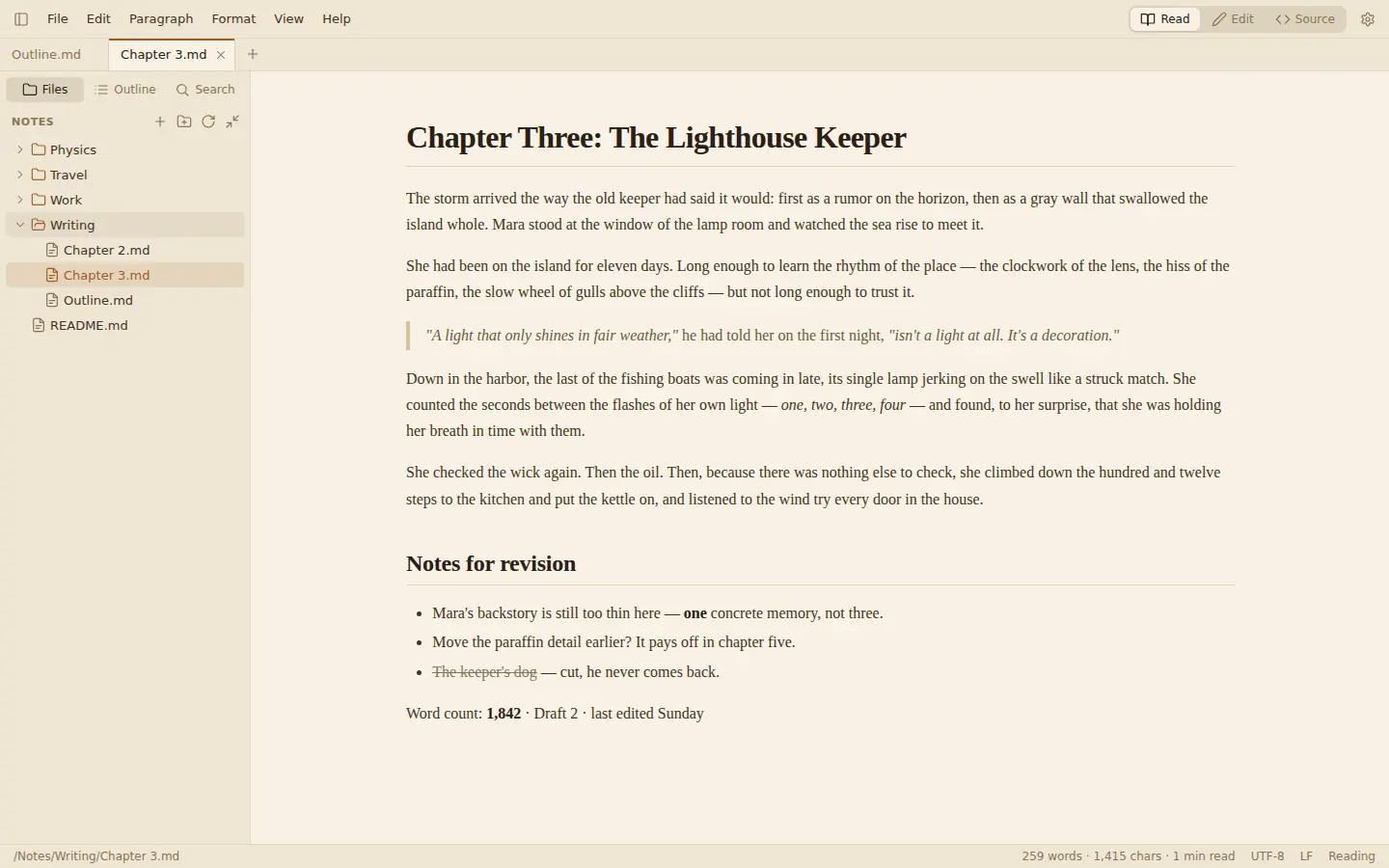
MarkItDown opens your .md files the way they are meant to look: rendered, calm and readable. When you want to change something, just click and type. The markdown syntax only appears where your cursor is.
Free to read, forever. Editing is $4.99 once for 3 PCs. Buy a license

- One-time purchase
- No account
- Works offline
- No tracking
- Your files never reformatted
Typora-style editing
Edit right where you read.
Press Ctrl+E or double-click a paragraph. The page stays rendered; only the line you are on shows its markdown, like **bold**, ## Heading or $$ math $$. Move on and it turns back into formatted text.
- Live preview for math, diagrams, tables and images
- Smart lists, table editing and formatting shortcuts
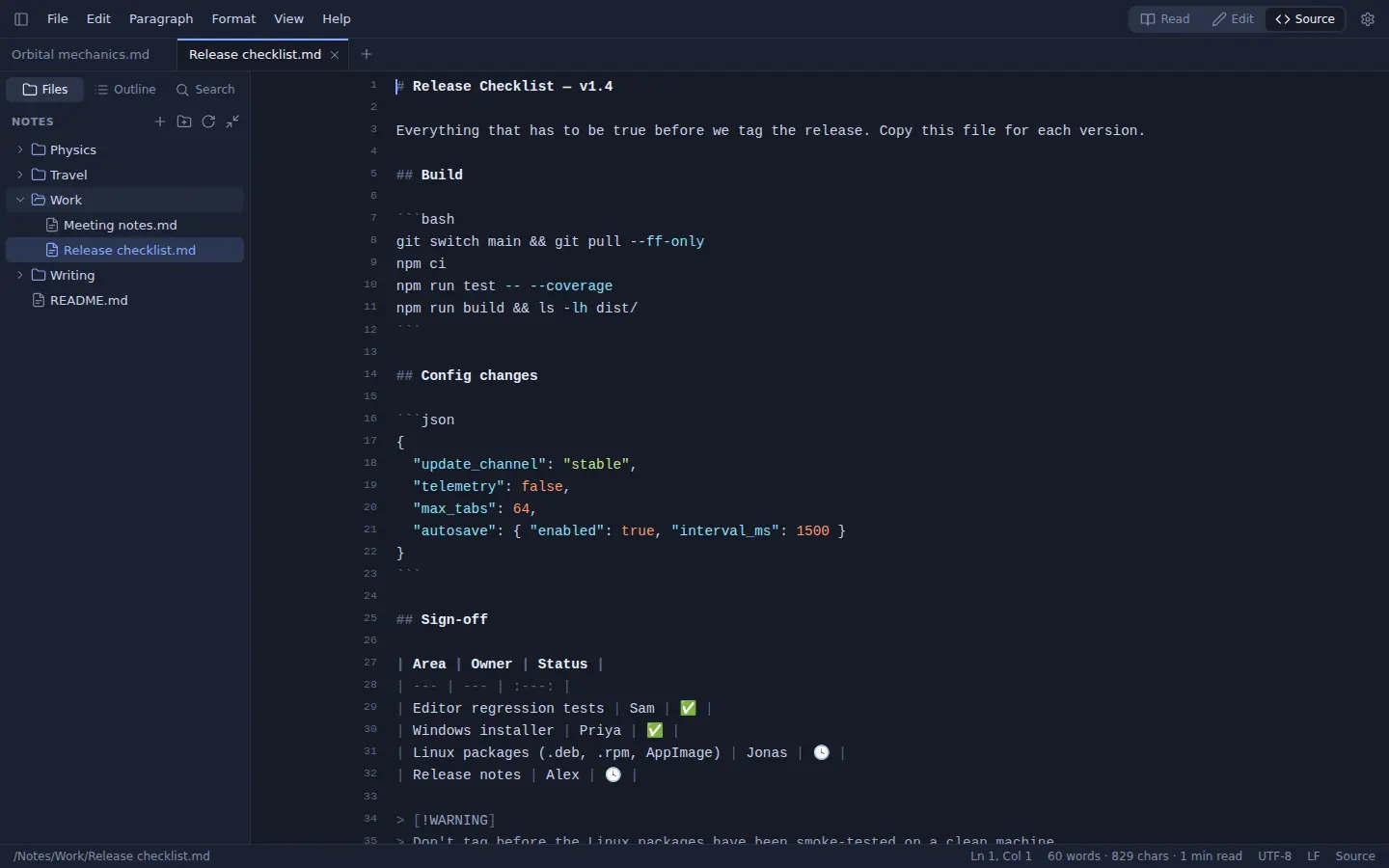
- Source mode with line numbers when you want raw text
- Paste from the web or Word and get clean markdown

Features
Everything you need. Nothing in the way.
CommonMark and GitHub-flavoured markdown with tables, task lists, footnotes, callouts and front matter, plus the things that make long documents pleasant.
Math and diagrams
KaTeX formulas and Mermaid flowcharts, sequence diagrams and charts, rendered while you type.
Readable code
Syntax highlighting for more than 190 languages, in the reading view and in the editor.
Tables without pain
Tab jumps to the next cell, Enter adds a row, and the columns line themselves up.
Images that just work
Paste a screenshot or drop a file: it is copied into an assets/ folder next to your document and linked for you.
Tabs, folders, search
Open a whole folder: file tree, outline, quick open with Ctrl+P and full-text search across every file.
Themes, including dark
Paper, Sepia, Night and Midnight, or follow your system. Choose the font, size and line width.
Export to HTML and PDF
Self-contained HTML with images and diagrams embedded, or print straight to PDF.
Your files, untouched
MarkItDown edits the text itself. Nothing gets reformatted: list markers, spacing and tables stay as you wrote them.
Encodings preserved
UTF-8, UTF-8 with BOM, UTF-16 and Windows-1252 files keep their encoding, and CRLF stays CRLF.
Works offline
No account, no cloud, no telemetry. Your notes stay on your computer.
Nothing gets lost
Unsaved edits are recovered after a crash. Changes made by other programs show up right away.
Windows and Linux
An installer for Windows 10 and 11, plus .deb, .rpm and AppImage packages for Linux.
Make it yours
Four themes. Your fonts. Your width.
Pricing
Pay once. Keep it.
No subscription, no account, no upsell.
Reader
Free
forever, no key needed
- Open and read any markdown file
- Folders, tabs, outline and search
- All themes
- Export to HTML
Unlocks editing
Editor
$4.99 once
one license, 3 PCs
- Everything in Reader
- Live editing and source mode
- Use it on up to 3 PCs
- All 1.x updates included
Secure checkout by Stripe. Price includes VAT and sales tax.
Download MarkItDown
Free to download and free to read. Enter a license key whenever you want to edit.
Windows 10/11 64-bit installer (no admin rights needed) · Linux x86-64: .deb, .rpm, AppImage
FAQ
Questions, answered.
What is free, and what do I pay for?
Reading is free, forever: open any markdown file, browse folders, search, switch themes and export to HTML. A license ($4.99, once) unlocks editing and saving.
Do I need an account or an internet connection?
No account. You need the internet once, to activate your key. After that MarkItDown works offline. When you are online it checks in with the license server about once a week, and it keeps working for 180 days without a connection.
On how many PCs can I use one license?
On up to 3 PCs, Windows or Linux in any mix. Moving to a new computer? Open Help → License on the old one and choose Deactivate to free its slot.
Are updates included?
Yes. Every 1.x update is included in the price.
Can I get a refund?
Payment is handled by Stripe, which sells the license on our behalf as merchant of record, takes care of VAT and sends your receipt. Refunds follow the statutory cooling-off rules where you live. If MarkItDown doesn't work for you, write to siekwieyt@gmail.com. A refunded license stops working.
What does the license server know about me?
Your email address (from the checkout), your license key, and for each activated computer its name and an anonymous device ID. That's it: no analytics, no cookies, no tracking on this site or in the app. Card details go to Stripe and never reach us.
Which systems are supported?
Windows 10 and 11 (64-bit) and 64-bit Linux (.deb, .rpm and AppImage). There is no macOS version yet.
Windows warns me when I start the installer.
The installer isn't code-signed yet, so SmartScreen may say "Windows protected your PC". Click More info → Run anyway.
I lost my license key.
Email siekwieyt@gmail.com from the address you paid with and you'll get it again.